Grass prefabs
English | French version
Grass uses the same MapPropsGenerator as other props. Each patch is a prefab instance with a shared mesh and material. Grass meshes are neither created nor merged during generation. Instances sit directly under Env/Props, with their GeneratedPrefabSource reference.
Biome placement passes
Configure placement in BiomeSetting > Decoration > configs, as for other props. A nonempty Prop Configs list on the map takes priority. The generator processes grass sizes from largest to smallest, regardless of their order in the list.
Example for models that actually cover 3 × 3 and 1 × 1 tiles:
| Prefab |
Prefix |
Tile Percent |
Scale / Patch size |
Random Rotation |
Layer |
| GrassCards_Large3 |
Grass |
75 |
3 |
Disabled |
TransparentFX (1) |
| GrassCards_Medium |
Grass |
90 |
1 |
Enabled |
TransparentFX (1) |
Large patches are placed on the grid without random offsets. Each placement reserves its tiles. The small-patch pass then fills only unoccupied tiles, using the rotation set by its rule. Multiple variants can share a size: they are tried in biome order, each with its own probability, until one placement succeeds.
Tile Percent is a probability, not a relative weight between sizes. A zero value is never used. Scale selects the area to reserve without resizing the model. Match it to the prefab's actual footprint: the included models currently use Medium = 1 and Large = 4. GrassCards_Large3 also provides a 3 × 3 footprint at the same height, using shared meshes and materials. A custom 3 × 3 prefab uses Scale = 3. Legacy values 0 and -1 infer the size from GrassPrefab, or use 1 without metadata. A patch supplied for four tiles cannot reserve just one tile: reservations always cover at least the footprint declared by GrassPrefab.
Recognizing legacy rules
Prefabs with GrassPrefab, Is Grass Detail rules, and legacy prefabs named Grass on the TransparentFX layer are recognized as grass. They use the MapPropsGenerator passes without adding a second set of default rules. Rule resolution does not modify biome assets.
A legacy prefab without GrassPrefab or Is Grass Detail keeps its original material and height. Is Grass Detail enables the map's style for a custom prefab. An explicitly assigned Grass Detail Material on the map takes priority, including for legacy rules. Included prefabs and prefabs with GrassPrefab use the module's biome height and material.
The Autumn material and its preset use the olive palette saved in the editor, with Root Tint Gradient Height = 0.8 to tint the roots toward the ground color.
The Snow material also uses Blade Soil Tint Strength = 0.9. The whole blade follows its sampled terrain color, retaining texture detail and gentle variation instead of a fixed white/green tip. Its wind highlights are reduced to 0.045. Other biome materials default to Blade Soil Tint Strength = 0, keeping their existing palette and root gradient. Without a sampled soil color, the shader uses its Root/Tip Color palette. These settings affect color only; cutout, depth, shadows and wind bending keep their existing behavior.
When no grass rule is configured, the module adds its Medium/Large rules for Grass and Plateau in memory. Any configured grass rule, even at 0%, prevents this automatic addition. Disabling Enable Grass Details also disables recognized legacy grass rules.
Map settings
Enable Enable Props Generation, then Enable Grass Details, and regenerate after making changes. Apply dense grass preset (screenshots) enables both options and resets Density = 1 and Height = 0.5 / 0.8, while preserving the biome, materials and custom rules.
- Grass Detail Density multiplies each rule's probability, from 0 to 4, capped at 100%. 1 uses the biome percentages exactly. A legacy scene set to 3 therefore increases placement chances up to the cap, without creating multiple patches on the same tile.
- Grass Detail Height sets the minimum/maximum blade height for the module's stylized prefabs. Only vertical scale changes; ground coverage remains model-defined and follows Cell Size. Legacy prefabs without a style marker keep their height, scaled only by Cell Size.
- Grass Detail Material explicitly overrides the shared LOD material. Without an override, legacy prefabs without a style marker keep their materials; the module's patches use the biome material.
Edges and occupied tiles
Planting tiles remain reserved throughout grass generation. A second patch cannot occupy the same tiles. Rotated large patches also reserve tiles touched by their rotated footprint. Reservations reset when the generator clears props.
Ground checks use a slightly inset planting square, 0.25 tile per side, instead of a circle enclosing every leaf tip. This inset follows the approach used by the old temporary volumes. Blades can meet along neighboring tile edges without stacking whole patches. Intermediate probes also detect narrow paths inside a large patch. For a compact custom model, GrassPrefab.FootprintRadius can reduce probe coverage without reducing reserved tiles or extending planting beyond its configured size.
Ground must match the rule's Prefix. Water, mountains, ramps, resources and protected passages remain excluded. Altitude is checked under the planting footprint. Seeded generation uses a grass random stream separate from other props. The ground-tint cache is shared for the pass and released afterward.
With map altitude enabled, MapPropsGenerator places grass after the final terrain
colliders have been displaced. Ray origins follow the terrain bounds, including
maps above 20 units or below -180 units. Roots use the lowest accepted footprint
sample and a small planting inset, so a flat patch cannot float above a gentle
slope. Large patches rejected by the footprint altitude tolerance leave their
tiles available to the smaller pass. Shared prefab meshes and GPU packing remain
unchanged. Regenerate existing maps to update their grass positions.
Brown DirtForest remains reserved for trees in the supplied rules. Trees keep an 80% chance per eligible placement. No forest-grass rule is added implicitly.
Included assets
Art/Prefabs/Grass/GrassCards_Medium.prefab and GrassCards_Large.prefab.Art/Prefabs/Grass/GrassCards_Large3.prefab, a 3 × 3 variant at the same height.- Six static meshes in
Art/Meshes/Grass: two variants and three LODs.
- Original RGBA texture
Art/Textures/GrassTuft_Original.png, imported as 2D with mipmaps that preserve alpha coverage.
- Nine materials in
Art/Materials/Grass.
Art/Prefabs/Grass/GrassPrefabs.asset, a library of shared references.
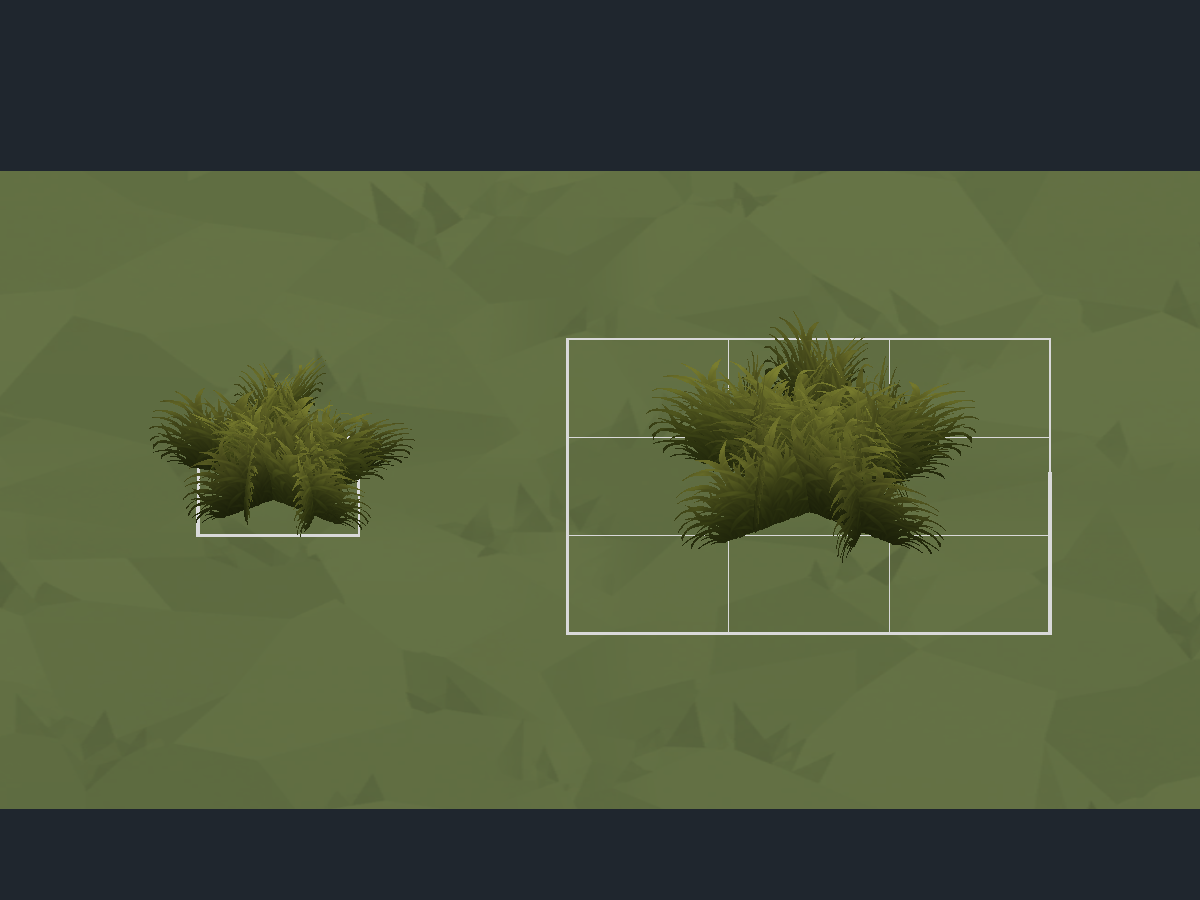
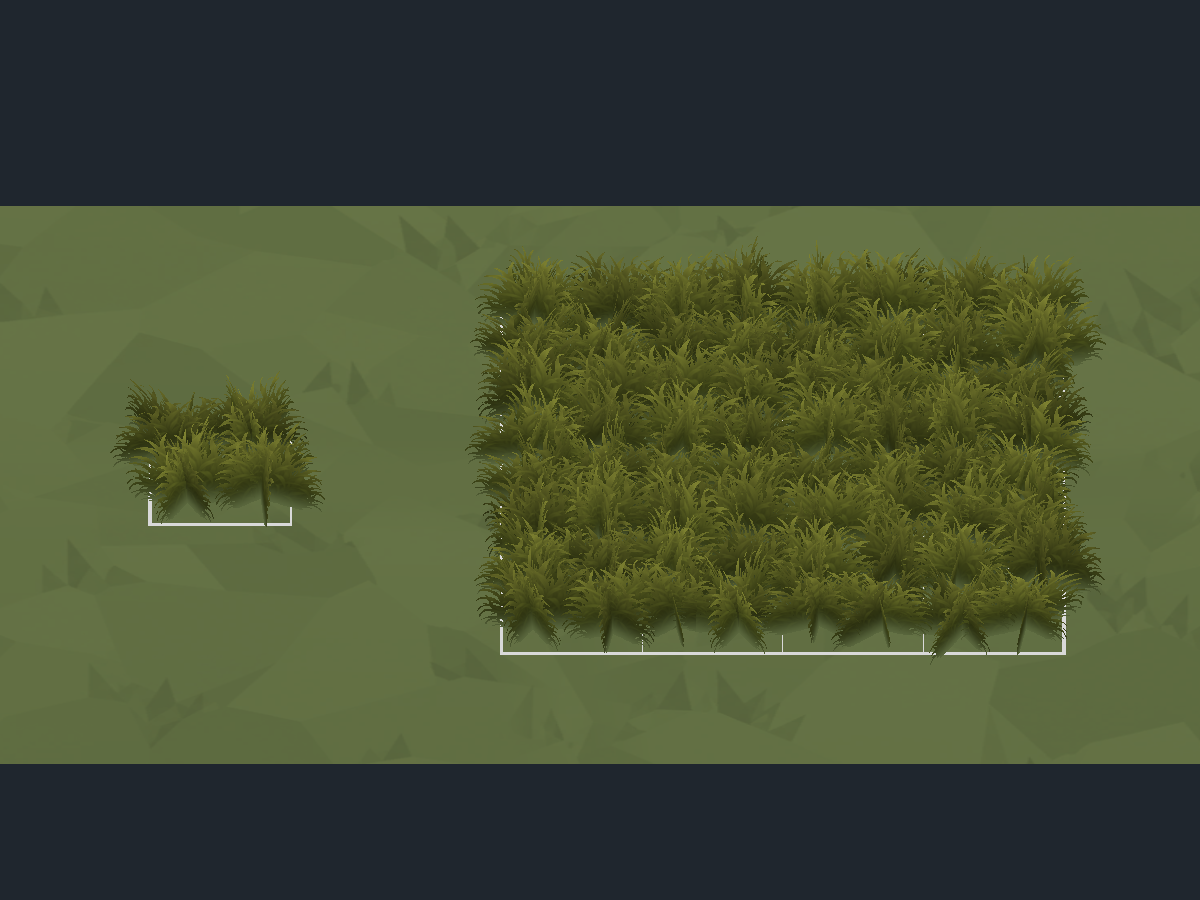
Patches use several oriented, curved cards to create a dense volume. Medium fills a nominal 1 × 1 unit tile and Large a nominal 4 × 4 unit tile at scale 1. Large distributes 64 small three-card tufts (192 cards in LOD0) across this area, with blades comparable in size to Medium; it does not simply enlarge the same cards. Large's reference height stays below 0.70 units. Tufts follow a slightly offset 0.5-unit grid; edge blades deliberately extend beyond the tile to join adjacent patches. Space centers 1 unit apart for Medium or 4 for Large, without increasing this spacing to match the bounds. Actual geometry therefore extends beyond the nominal area. The protection radius includes this overhang. Cell Size scales these footprints to one or four tiles. Grass Detail Height controls height independently. Renderer bounds include a small additional wind margin; the dimensions above describe geometry at rest.
LOD0/1/2 reduces the number of cards with distance while retaining Large's sixteen sectors. Meshes contain 72/48/8 triangles for Medium and 1152/768/128 for Large respectively. QuickStart presets and newly created starter assets include the corresponding rules. Refreshing the wizard preserves existing custom configurations; in-memory fallback rules support older biomes without a grass rule.
| Previous patches |
Current models, Large on a 4 × 4 tile |
 |
 |
Ground color at the roots
MapPropsGenerator samples the color of the surface hit by its raycast and stores it on each instance in GrassGroundTint. For the module's triplanar ground, it also samples the top texture pattern and global variation. The standard Triplanar material's height grading, slope darkening and diffuse lighting are included. The small texture copy used for sampling is temporary, shared during generation and then released; import settings remain unchanged.
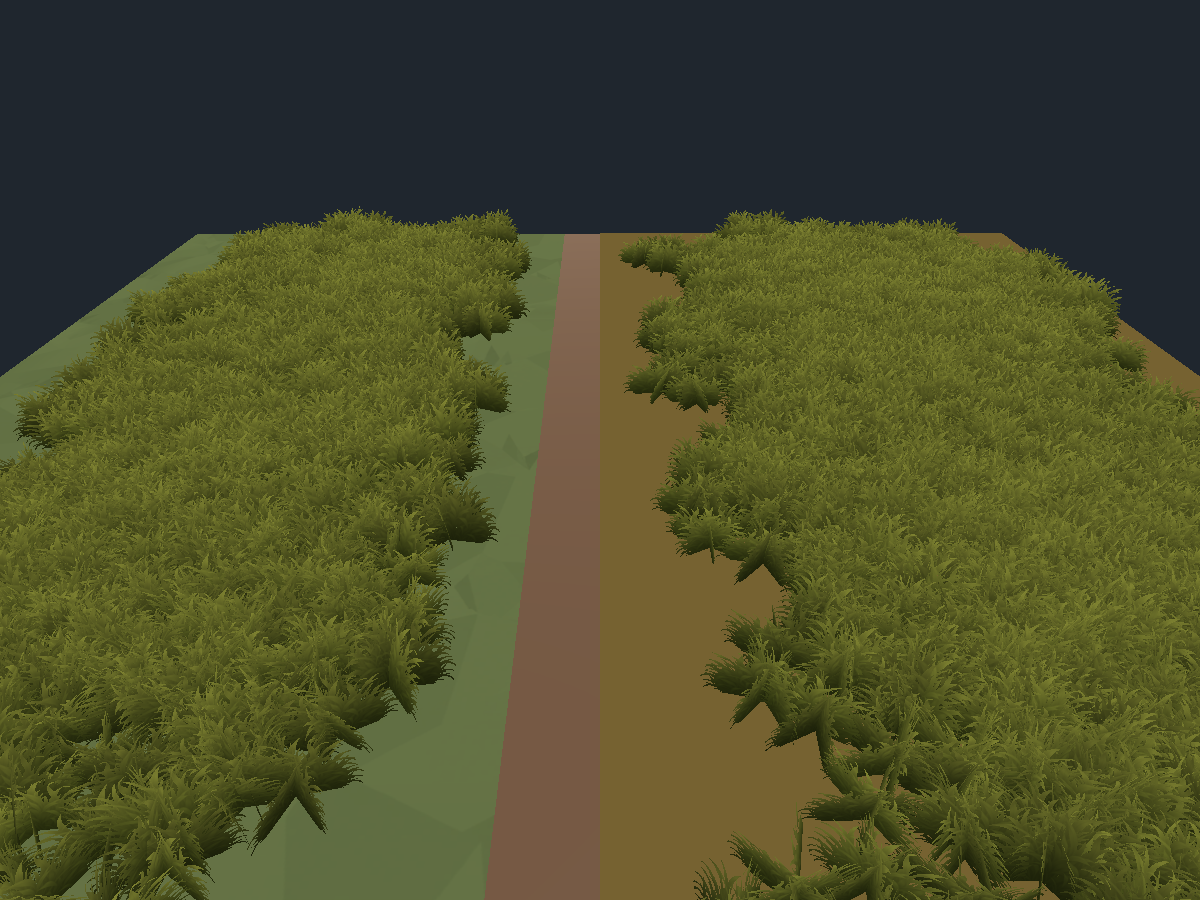
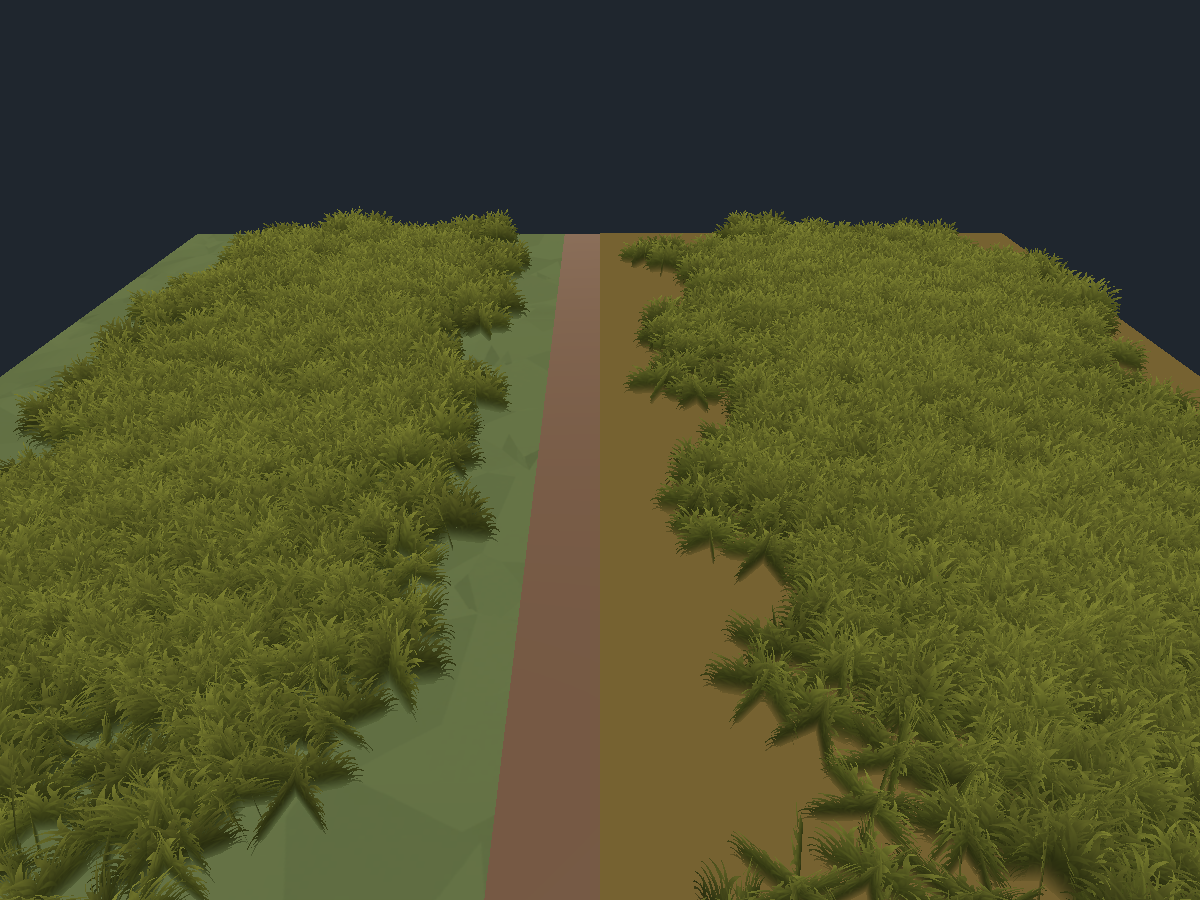
The shader uses a simple color gradient at the foot while preserving the tip palette.
Root Tint Strength controls intensity (default 1), and Root Tint Gradient
Height controls the affected blade-height fraction (default 0.38). This changes
color only; grass remains alpha-tested with depth writing. It does not sample
background objects, scene color or scene depth for this tint. Existing material
values are retained under the same _GroundBlendStrength and _GroundBlendHeight
property names. Materials remain shared: color uses a per-instance GPU property
and also works with ordinary renderers. MapDataContainer preserves it during capture and reload.
The sampled soil contribution is applied after blade lighting, so a warm scene
sun cannot turn blue-grey Snow roots cream. The optional whole-blade soil tint
uses the same treatment. Tip palette lighting, wind highlights, dynamic shadows
and fog remain active. Regenerate older maps to refresh the stored soil tones.
A custom ground shader using _BaseColor or _Color provides its main tint. Textures and lighting specific to another shader are not reproduced exactly. If no color is recognized, the grass material's root palette is used. An external instancer must provide the instanced _GroundColor property to preserve this transition.
Regenerate the map to update existing instances' footprints and colors.
MapDataContainer and GPU instancing
After generation, MapDataContainer is placed on Props and captures prefab references, materials and transforms.
The generator uses the MapDataContainer included in this module. It assigns Props, Cliffs, Bridges, Nature and additional prefab groups before Pack Content. Bridges retain their colliders and child layers. Compact storage is independent of GPU instancing; objects with unsupported state remain ordinary instances. See Packed Map Content.
The standalone package includes its own Sorolif.RTS.MapGenerator.MapDataContainer. Packed maps display reconstructed instances; use Unpack Content before editing them, then Pack Content to save changes. In Play Mode, the container uses shared meshes and materials for GPU-instanced draws, selects LODs by camera and disables eligible individual renderers. Transforms and other props remain available. Disabling Use Gpu Instancing restores renderers; a GPU without instancing support keeps ordinary rendering. The legacy Capture & Pack context menu only refreshes GPU data in memory; Pack Content handles compact disk storage. RebuildInstAndGpu() remains available for integration code.
Rendering follows parent movement. Models with colliders can be stored compactly while retaining reconstructed physical instances; they are not drawn by the decoration instancer.
Shader
Sorolif/RTS Terrain/Stylized Grass uses the RGBA texture for blade cutout and detail, a Root Color / Tip Color gradient and per-instance color variation. Wind Direction X Z is a world-space direction, independent of patch rotation. Wind Bending, Wind Speed and Gust World Scale control the strength, travel speed and spacing of gusts. Gusts sweep along that direction according to world position; neighboring patches share their phase, including when GPU-instanced. Color variation does not randomize wind timing. Roots stay fixed. Alpha Cutoff controls cutout; Fade Start / End controls distance fading. Animation Time = -1 follows the clock; a nonnegative value freezes motion.
Built-in and URP passes are included without a mandatory URP dependency. The shader is double-sided with depth writing and receives shadows. Matching animated/cutout depth and shadow passes prevent background shadows from appearing on foreground blades; URP also includes a depth-normal pass. Included prefabs keep shadow casting disabled, while their depth still occludes background surfaces. UV0 covers the texture; UV2 provides variation and height for included meshes. Fallback Grass Height adjusts wind for external meshes without these UV2 data.
Wind highlights
The upper blades brighten as they lean into a stronger gust, then return toward
their normal color when the gust eases. Color uses the same world-space gust as
vertex bending, before displacement, so the highlight sweeps with the motion
across neighboring patches and GPU instances. It follows Wind Direction X Z,
including a reversed direction; it is a stylized color effect rather than a
screen-space reflection.
Under Wind Highlights on the grass material:
- Wind Highlight Color controls the highlight tint. Existing Gust Highlight
colors are retained through the same
_WindTint property.
- Wind Highlight Strength controls intensity (default 0.4); 0 disables it.
- Wind Highlight Start sets the blade-height fraction where the smooth tip
gradient begins (default 0.45).
- Wind Highlight Contrast concentrates the effect in stronger gusts (default 2).
The root soil tint, alpha cutout and shadow/depth passes are retained. Highlights
receive the same lighting and shadows as the blades and stop when Wind Bending
is zero. Existing material palettes are preserved; the shader defaults enable
the effect without reapplying a biome preset or regenerating grass.
Dense prefabs increase overdraw and instance counts. Adjust density, LODs and distances for the target GPU.
Native screenshots
Passes by patch size
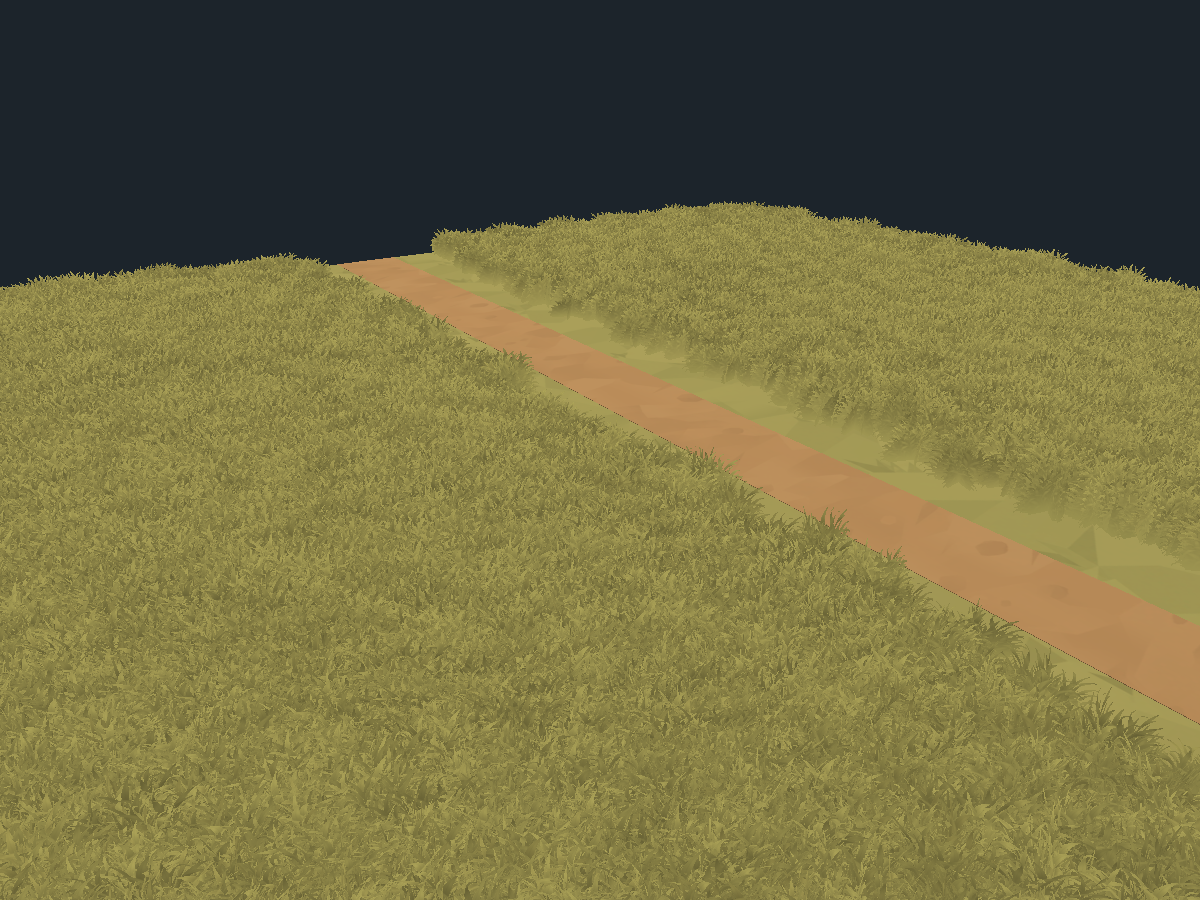
| Previous placement with overlaps |
Aligned passes with reserved tiles |
 |
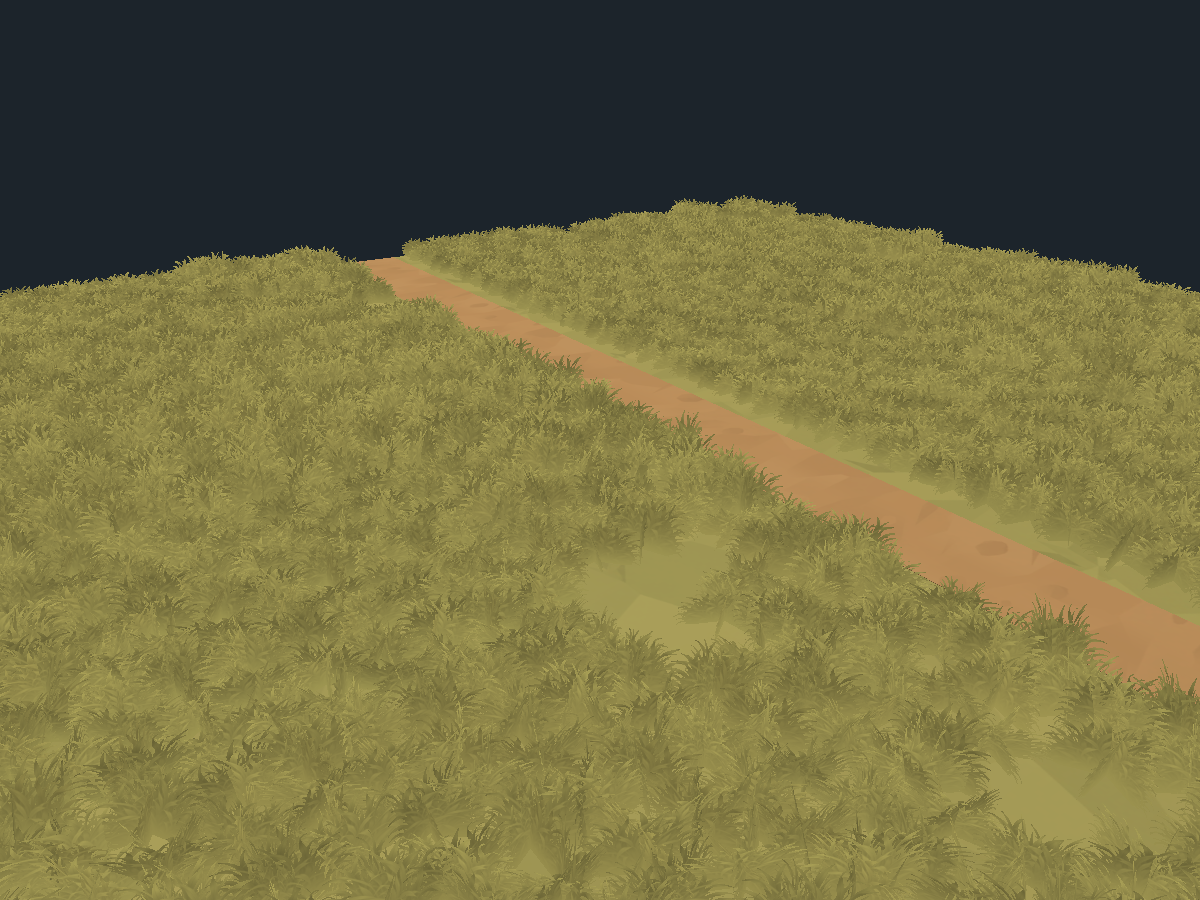 |
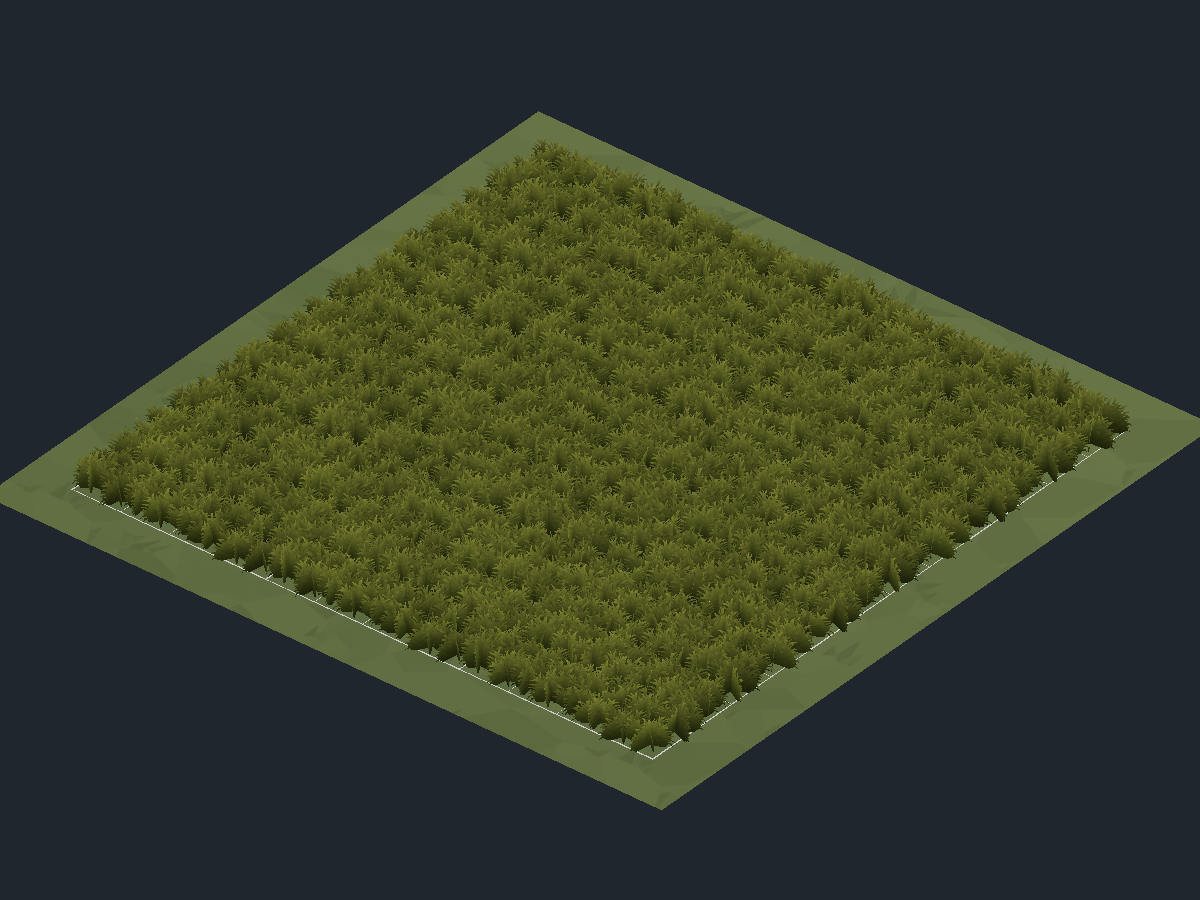
The validation scene compares the same meshes and path. The following view uses a large 3 × 3 rule at 75% without rotation and a 1 × 1 rule at 90% with rotation, without the new Is Grass Detail marker.
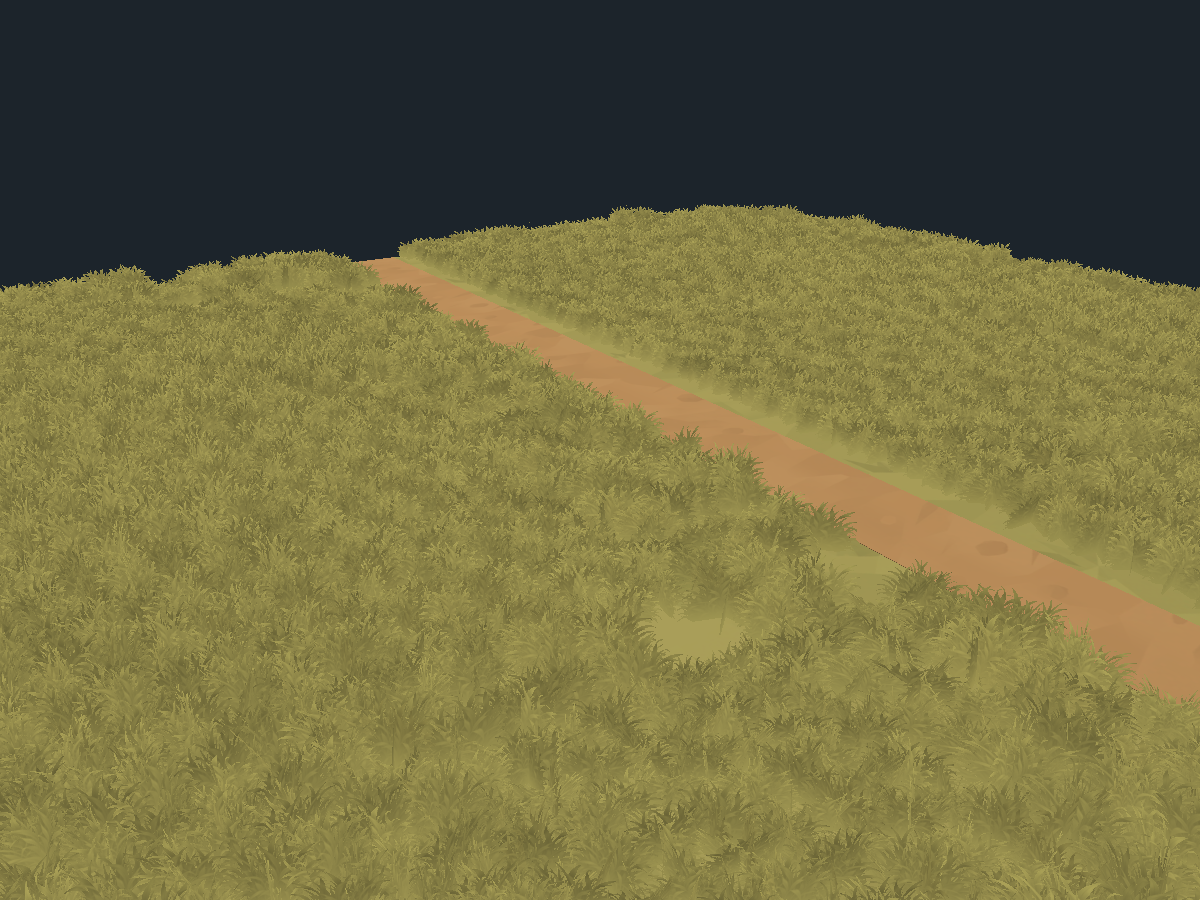
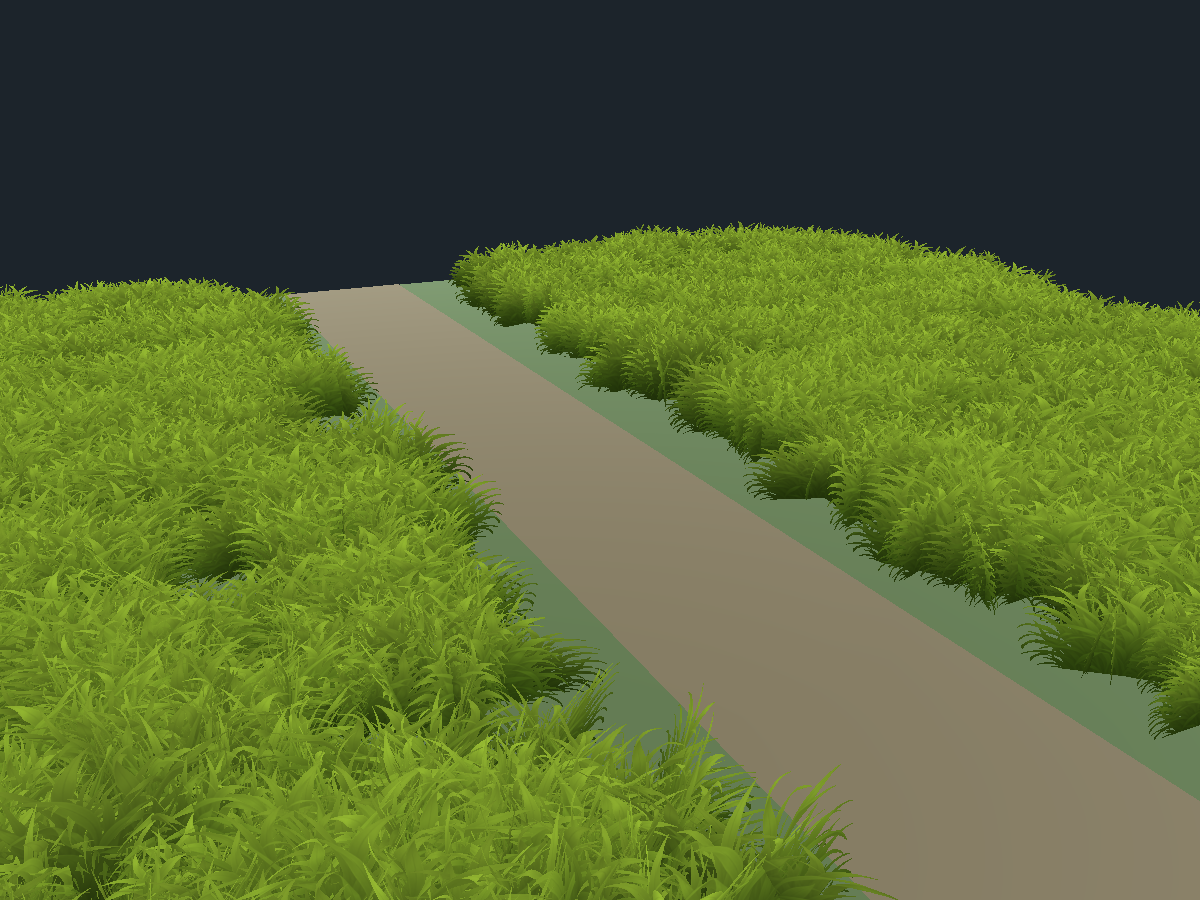
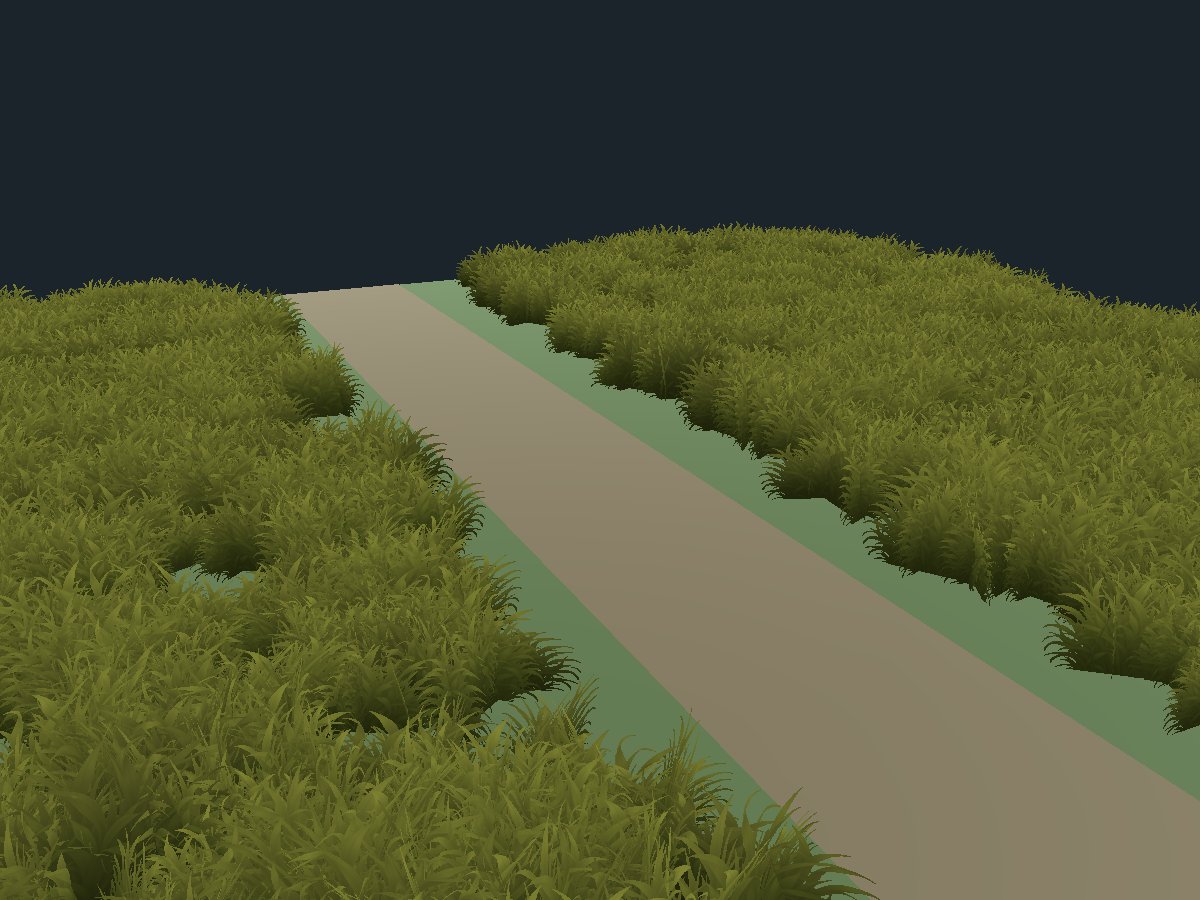
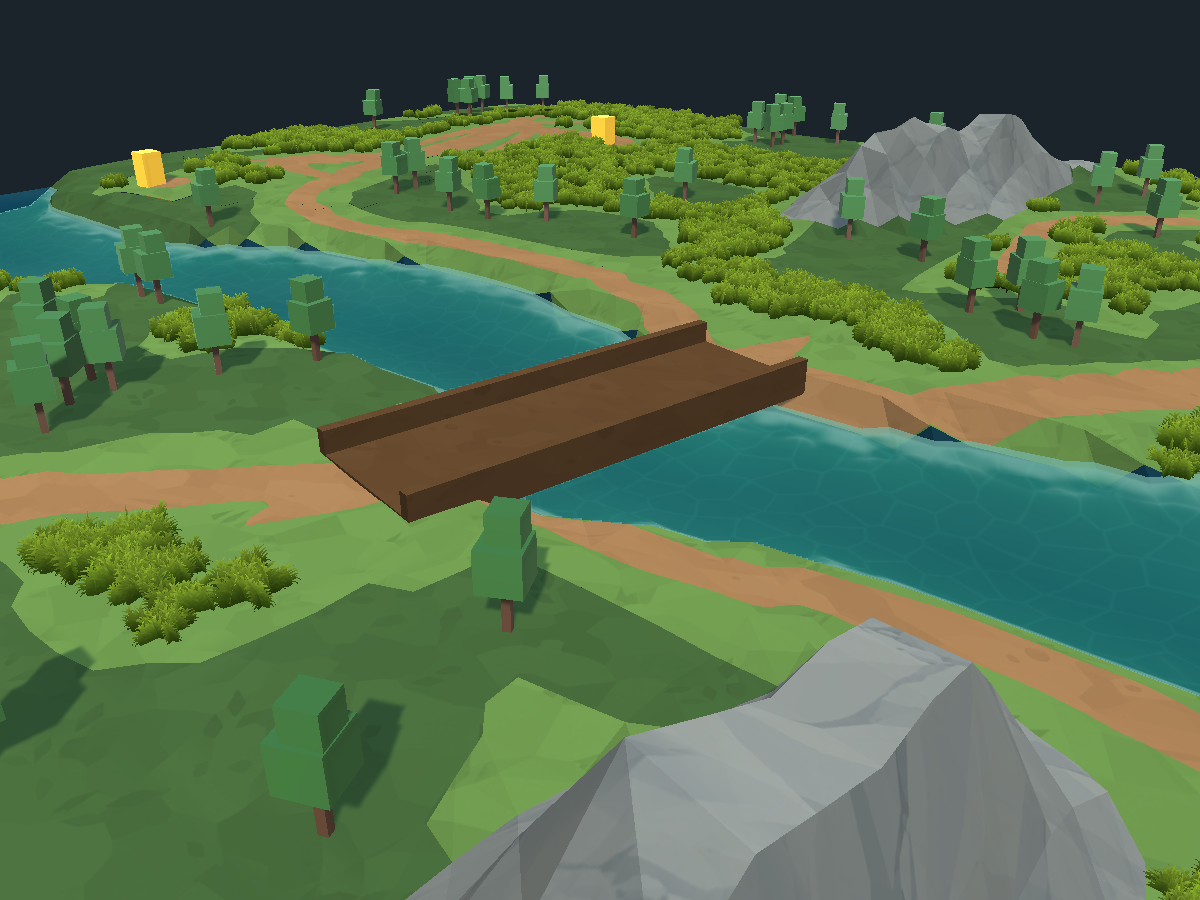
The following model, placement and color captures remain historical rendering examples. The current configuration uses the size-based passes described above; patch counts do not indicate ground coverage when patches overlap.
Other biomes and models
Joining adjacent tiles
Space supplied tiles 1 unit apart (Medium) or 4 units apart (Large) at scale 1. Their fringes overlap to avoid empty strips; small natural gaps between blades remain. Do not use bounds width as placement spacing.
| Ground transition disabled |
Transition enabled, GPU rendering |
 |
 |